Store Business Document File Description Pop-Up

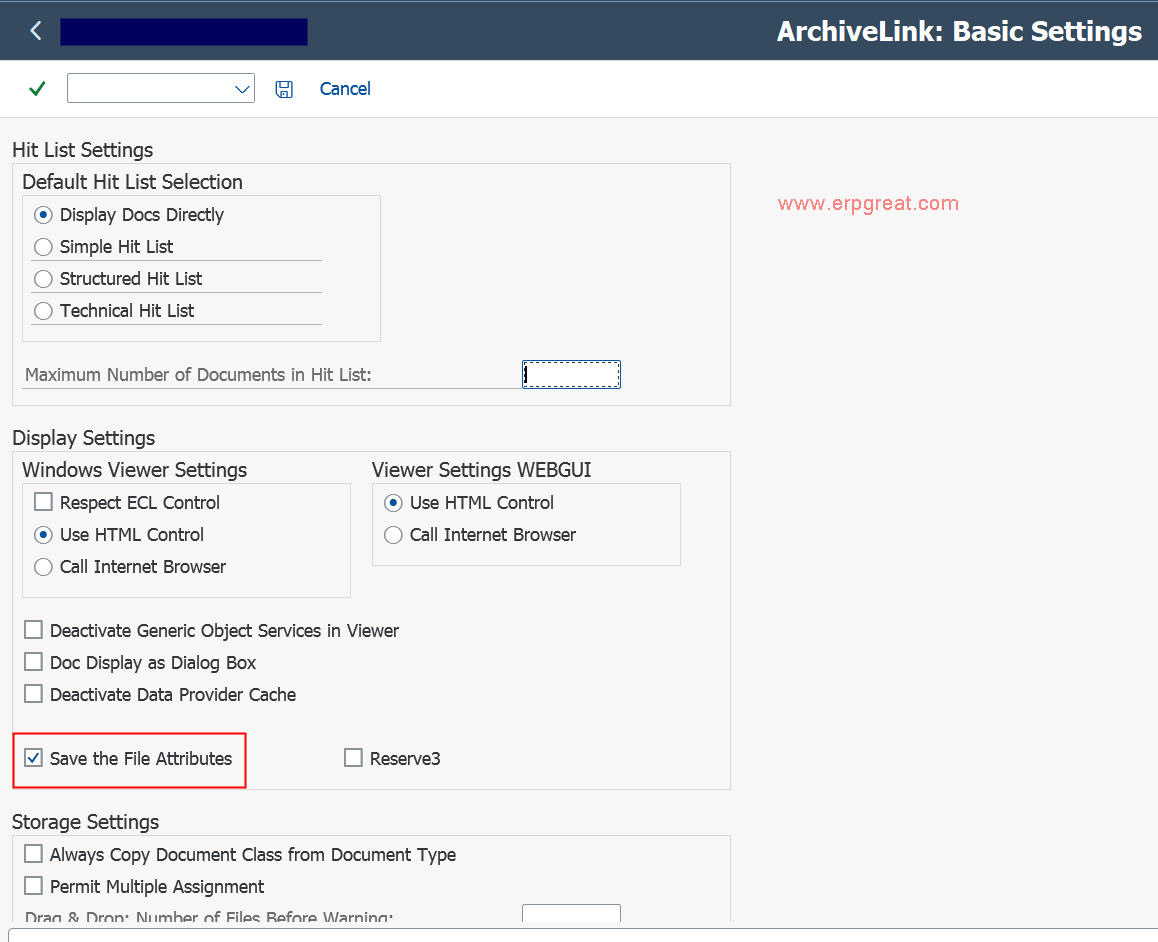
In SAP transaction OAG1 (ArchiveLink: Basic Settings), the specific option to enable the file description pop-up for manual document storage is "Save File Attributes" (technically referred to as the Reserve1 flag in the system). 

Key Details of the Setting:

  • Location: Transaction OAG1.

  •  
  • Checkbox: Look for the "Save File Attributes" option.

  •  
  • Functionality: Once enabled, when a user stores a document manually (e.g., using the Generic Object Services (GOS) "Store Business Document" function), a pop-up window appears.

  •  
  • Purpose: This pop-up allows the user to enter a custom File Description and other attributes like the creator name.

  •  
  • Effect: The description entered in this pop-up replaces the default document type name in the Title column of the GOS Attachment List, making it easier to identify specific files. 

Limitations:

  • This enhancement is typically only available for manual storing scenarios.

  •  
  • It does not automatically apply to documents stored via automated workflows, barcodes, or SAP-generated PDFs, as ArchiveLink is not designed to capture these manual attributes in those automated processes. 

See Also Get help for your Basis problems
Do you have a SAP Basis Question?

SAP Basis Admin Books
SAP System Administration, Security, Authorization, ALE, Performance Tuning Reference Books

SAP Basis Tips
SAP BC Tips and Basis Components Discussion Forum

Administration In SAP - Sapgui, Unix, SAP ITS, Router, Client Copy and IDES 

Main Index
SAP ERP Modules, Basis, ABAP and Other IMG Stuff

All the site contents are Copyright © www.erpgreat.com and the content authors. All rights reserved.
All product names are trademarks of their respective companies.  The site www.erpgreat.com is in no way affiliated with SAP AG. 
Every effort is made to ensure the content integrity.  Information used on this site is at your own risk. 
 The content on this site may not be reproduced or redistributed without the express written permission of 
www.erpgreat.com or the content authors.